Real-Time AI Avatars in Public Spaces: A Practical Deployment Guide
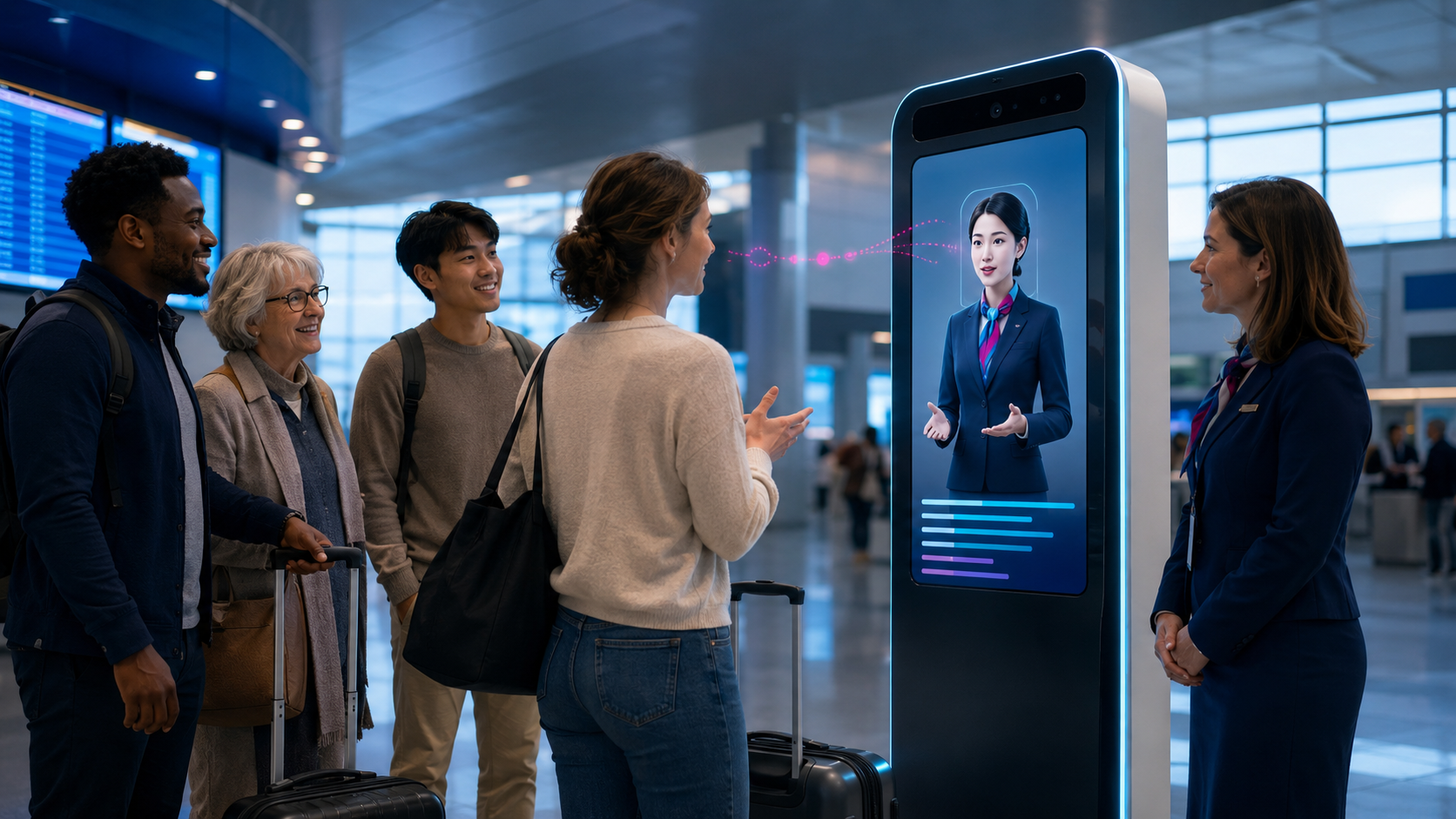
Real-time AI avatars behave differently in public spaces than they do inside a controlled laptop demo. Exhibition halls are noisy. Networks fluctuate. People interrupt, gather in groups, change languages and walk away quickly. The system has seconds to explain what it is and why somebody should speak to it.
Yepic has built and operated public-facing avatars on Microsoft’s COMEX stand, at the Global AI Summit and inside enterprise programmes that required production APIs, security work and continuous support.
What is a public-space AI avatar?
A public-space avatar is a real-time digital person deployed on a kiosk, large display, holographic unit, visitor-centre installation or event stand. It listens to spoken questions and responds through generated voice and facial animation.
The avatar may act as a guide, customer-service agent, expert, host or character. Its knowledge can come from approved documents, event schedules, product information or connected systems.
Microsoft COMEX: making a stand conversational
Microsoft wanted its COMEX Oman stand to demonstrate AI through conversation rather than another static display. Yepic delivered Omar, a multilingual real-time avatar positioned as an immediate focal point for visitors.
People could ask unscripted questions about Microsoft products, Oman Vision 2040 and broader knowledge topics. The experience moved across English, Arabic and more than 115 supported languages.
Yepic designed the conversation, delivered the avatar and supported the live presentation throughout the event. Microsoft later described the participation as having “great impact”. Read the Microsoft COMEX case study.
GAIN: a five-metre agent as event architecture
At the 2024 Global AI Summit in Riyadh, Yepic created a five-metre conversational avatar and a holographic companion called Farrah. The main agent combined summit-aware knowledge with real-time spoken responses designed for a target latency below one second.
The build had to work at two scales. One visitor needed a useful conversation, while the wider room needed to understand that a live interaction was taking place. The five-metre format made the exchange visible; the holographic format created a closer experience.
Yepic tested and operated the deployment across the three-day summit. Explore the GAIN installation.
From public installation to enterprise service
The visible avatar is only the front end. Production deployments need knowledge, APIs, security, network compatibility, monitoring and support.
For Abu Dhabi Aviation, Yepic’s work grew from multilingual avatar-led content into a dedicated interactive avatar and API programme supported with Oracle. The team delivered development and production environments, endpoints, iframe integration, real-time streaming, captions, microphone behaviour, WebRTC and network testing, browser remediation, cybersecurity support and ongoing maintenance.
See the Abu Dhabi Aviation production integration.
Eight design challenges unique to public spaces
1. Discoverability
The installation should communicate its purpose before somebody begins. “Ask me anything” is usually too vague. Give the avatar a concrete promise.
2. Noise
Microphone selection, direction and placement matter. Speech recognition should be tested with crowd noise, music and nearby conversations.
3. Latency
Public interactions punish delay. Measure the complete time from the end of a question to the start of a useful answer under the venue’s actual connection.
4. Queue design
A one-to-one agent can create a group of passive observers. Visible captions, shared responses, time limits and a human host can make the queue part of the experience.
5. Multiple users
Define whether the agent follows one active speaker, accepts handover or supports group conversation. The camera and microphone need the same assumption.
6. Accessibility
Provide captions, readable text, keyboard or touch alternatives, appropriate screen height and the option to complete the task without speech.
7. Privacy
A public kiosk should not invite people to speak sensitive information where others can hear it. Make recording and data use clear before the conversation begins.
8. Recovery
The system needs responses for silence, misunderstanding, unsafe questions and network failure. Staff should be able to reset or pause it immediately.
The system behind the screen
- Input: microphones, cameras, touch controls and accessibility alternatives.
- Understanding: speech recognition, language detection and turn management.
- Knowledge: approved content, retrieval and rules for uncertainty.
- Action: forms, recommendations, APIs or human handoff.
- Output: voice, facial animation, captions and screen behaviour.
- Operations: network monitoring, logs, remote control and on-site support.
Where public-space avatars make sense
- event and exhibition navigation;
- visitor centres and museums;
- airports, transport hubs and customer-service kiosks;
- government service locations;
- corporate campuses and reception;
- retail discovery and product explanation;
- training simulations and public demonstrations.
The avatar should not be used when a sign, searchable screen or member of staff would solve the task more quickly. Presence needs to earn its footprint.
A real-world pilot plan
- Define one job and one primary audience.
- Build a short knowledge base from approved information.
- Choose the physical screen, microphone and interaction distance.
- Test with recorded venue noise and constrained bandwidth.
- Include different languages, accents and accessibility needs.
- Rehearse queues, misuse, silence and failure.
- Deploy with a human owner and visible fallback.
- Measure successful conversations, not only footfall.
Public AI has to work in public
A real-time avatar is not ready because it performed well in a quiet meeting room. It is ready when people can understand it, trust it and complete the intended interaction under real conditions.
Yepic has built these systems at stand, summit and enterprise scale. Read the live events guide or review the enterprise buyer questions.