Voice AI Speaker Routing: Autoplay, Devices and Recovery

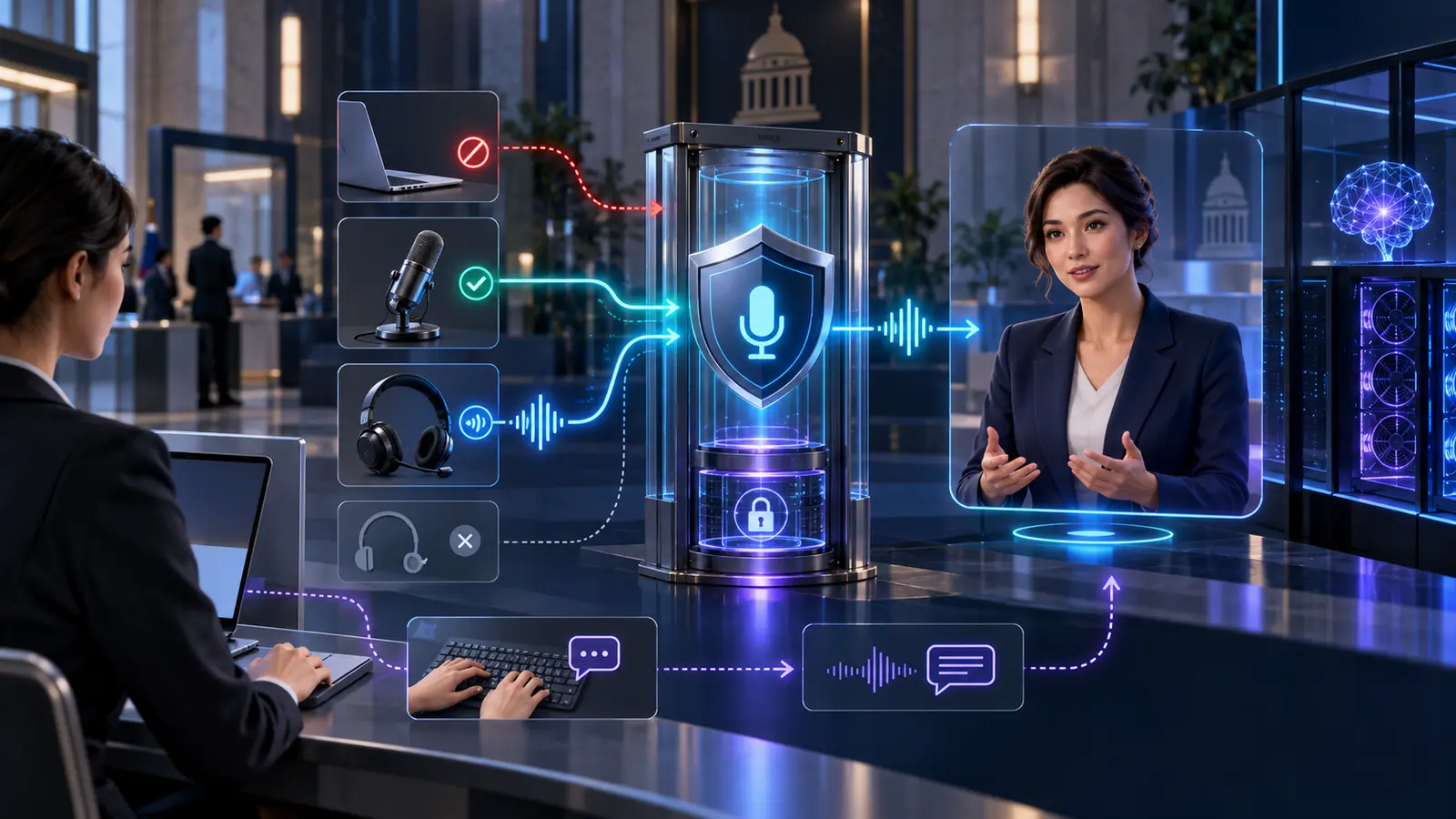
Reliable voice AI needs an explicit speaker-output contract. Receiving an avatar’s audio over WebRTC is not proof that anyone can hear it. Playback may be blocked until the user acts, the wrong output device may be selected, a headset may disappear, an embedded application may lack permission to choose a speaker, or the player may be paused or muted. Treat those conditions as named states, give the user a safe recovery path, and test the complete route from generated speech to the intended endpoint.
This matters most where speech can be sensitive. A bank adviser wearing a headset should not discover that a customer’s information has moved to room speakers after a dock change. A citizen-service kiosk should not continue the conversation silently after its USB audio device reconnects. And a remote employee should not have to reload a five-minute session because the browser rejected the first attempt to play audio.
Separate four facts that teams often collapse into “audio works”
An end-to-end avatar can be healthy at the media layer and still fail at the last metre. Architecture reviews should record four separate facts:
- Audio was produced: the TTS or real-time speech component generated valid samples for the current turn.
- Audio reached the endpoint: the application received and decoded the expected stream.
- Playback started: the browser or native client accepted the play request and the relevant media or audio context is running.
- The intended route is usable: output is assigned to the approved headset, speaker or room system at an audible level.
No ordinary browser API can prove that a physical loudspeaker actually emitted useful sound. A resolved playback promise and selected sink are therefore strong software evidence, not an acoustic measurement. Production acceptance still needs a test tone, user confirmation or managed-device telemetry where the risk warrants it.
Model speaker output as a six-state system
A boolean “speaker connected” flag is too weak for recovery logic. Use states that determine what the interface may do next:
- Unsupported or policy-blocked: the requested output-selection feature is unavailable or forbidden by the embedding policy.
- Awaiting activation: media is ready, but a user action is required before audible playback can start.
- Playing on the default route: audio is running through the browser or operating system’s current default.
- Playing on an approved route: the user selected a permitted non-default device and the application applied it.
- Route interrupted: the selected device vanished, changed identity, failed or was replaced.
- Fallback or failed: the system has paused speech, moved to an approved fallback, or offered captions and text instead.
Log transitions between these states. “Silent session” is an outcome; “play request rejected after reconnect, then user selected captions” is evidence an engineer can use.
Design the first click as part of the conversation
The WHATWG HTML Standard permits a browser to reject a media element’s play() promise with NotAllowedError when playback is not allowed in the current context. Browser autoplay rules, user preferences, enterprise policies and prior interaction can all affect the result. Do not make successful autoplay a prerequisite for joining a regulated service.
A clear “Start conversation” control should perform the activation work in one deliberate action: initialise or resume the audio context, attach the current media stream, call play(), catch any rejection, check mute and volume state, and expose the chosen output route. If startup fails, keep the conversation turn uncommitted and show a specific recovery action. Repeatedly calling play() in the background turns a recoverable policy state into an unexplained delay.
Do not speak a substantive first sentence before the endpoint is ready. A short non-sensitive confirmation sound or phrase can verify the route; the user can then continue. This extends the principle in Yepic’s guide to controlling the first audible word in streaming TTS: first-byte latency is not the same as audible, correctly routed speech.
Treat speaker selection as a separate permission boundary
The W3C Audio Output Devices API defines selectAudioOutput() for user selection and setSinkId() for directing a media element to a permitted device. It also defines the speaker-selection Permissions Policy, whose default allowlist is self. In practice, support and behaviour still vary, so capability detection and tested browser profiles are essential.
This boundary is independent of microphone permission. A user may be able to speak while the application cannot choose a non-default output. In a cross-origin iframe, the host page must deliberately delegate any supported speaker-selection capability. The iframe contract should therefore cover at least:
- allowed origin and sandbox configuration;
- microphone, autoplay and speaker-selection policies;
- which layer presents device controls;
- how the host and embedded application exchange route state;
- what happens when delegation is absent; and
- which browsers and managed-device configurations are qualified.
Permission to use a microphone or knowledge of an input device must never be presented as proof that a matching headset output has been selected.
Make the default route a fallback, not a contract
The operating-system default is convenient for low-risk use. It is not stable enough to be the only control for a branch, control room or shared service desk. Docks, monitors, Bluetooth handovers, remote-desktop software and conferencing applications can all change the apparent route.
When non-default selection is supported, ask the user to choose from devices the browser is permitted to expose. Store only what is necessary to restore intent. Device identifiers may be rotated or withheld for privacy, and a previously selected device may not be available later. Re-run the browser’s selection flow when required rather than treating an old identifier as permanent inventory.
Apply the route consistently. Avatar speech, earcons, accessibility prompts and any locally rendered alerts can use different media elements or an AudioContext. If only one is routed, the user may hear a confirmation in a headset while the actual answer plays through a monitor. The output contract should list every audible source and its routing owner.
Recover safely from a route change
A device-change notification is a reason to re-evaluate, not permission to choose a new speaker silently. On a headset loss or route change:
- stop or pause consequential speech and cancel queued playout for the current turn;
- re-enumerate the outputs the browser is allowed to expose;
- check whether the selected route still exists and can be applied;
- tell the user what changed without revealing sensitive content;
- offer the previous route, a permitted alternative, system default, captions or text; and
- resume from a known boundary rather than replaying an entire sensitive answer.
Automatically moving from a private headset to room speakers is particularly dangerous. In shared environments, the safe default is to pause and ask. A fixed kiosk can use a narrower approved hardware profile, but it should still detect USB disconnects, amplifier faults and operating-system changes.
Route recovery also has to remain aligned with interruption. Silencing the local player does not necessarily cancel text generation, TTS work, network queues, captions or avatar motion. Conversely, cancelling generation does not remove audio already buffered at the client. The same turn identifier should govern speech, captions and movement, as described in Yepic’s endpoint guidance for acoustic echo cancellation.
Observe output without collecting the conversation
Useful telemetry does not require storing spoken content. For each session and route transition, capture:
- browser, operating system and qualified endpoint profile;
- play request, promise result and normalised error class;
- media element paused, muted, volume and readiness state;
- audio-context state where one is used;
- default or non-default route and a short-lived pseudonymous device reference;
- device-change, route-loss and reselection events;
- time from approved text to decoded audio and successful playback start;
- fallback chosen and time to recovery; and
- optional user confirmation that a test sound was heard.
Do not log raw device labels, stable hardware identifiers or transcript fragments by default. Define retention, access and regional handling for operational telemetry just as deliberately as for voice data. Captions and text-only continuation should remain available for people who cannot hear, cannot use the expected hardware or choose not to play audio.
Hosting location does not control the endpoint speaker
Cloud, private-cloud and customer-hosted avatar architectures can all use the same output discipline. Customer-hosted inference can, when properly scoped, keep selected speech, model and telemetry components within the customer environment and remove an external network hop. It does not override browser autoplay, delegate iframe permissions, keep a Bluetooth device connected or prove that a headset is on the user’s ears.
That distinction should appear in procurement documents. The avatar platform can own speech generation, stream state and integration hooks; the browser or client owns playback APIs; the operating system and managed-device estate own physical routing; and the customer owns the approved endpoint policy. A custom implementation must allocate those responsibilities explicitly.
Use a twelve-field audio-output contract
For every endpoint family, record:
- supported browser or native-client versions;
- allowed embedding origins and Permissions Policy;
- activation and first-play sequence;
- default and permitted non-default output classes;
- media elements, audio contexts and routing owner;
- device-selection, consent and identifier handling;
- volume, mute, test-sound and confirmation behaviour;
- device-change detection and validation;
- safe fallback and private-to-public route rules;
- turn cancellation, buffered-audio and replay policy;
- captions, text and other accessible alternatives; and
- telemetry, retention, support and requalification triggers.
Run ten production acceptance tests
- Cold start: no prior site interaction; prove the start control unlocks and verifies playback.
- Rejected playback: force a blocked play request and confirm a visible, recoverable state.
- Cross-origin embed: test with and without each required policy delegation.
- Headset removal: disconnect during sensitive speech and prove room speakers do not take over silently.
- Bluetooth handover: switch profiles or endpoints during a turn and reject stale route state.
- Dock and display change: connect a monitor or dock and verify the approved route remains explicit.
- Multiple players: prove avatar speech, prompts and alerts use the same intended output.
- Interruption: stop audible speech, queued samples, captions and motion under one turn policy.
- Accessibility fallback: complete the task with captions or text and no audio device.
- Long-session recovery: suspend, lock, reconnect and change devices without losing conversation state.
What Yepic’s delivery evidence establishes
Yepic’s Abu Dhabi Aviation and Oracle enterprise avatar integration included dedicated development and production environments, streaming and iframe integration, captions, microphone behaviour, interface controls, and testing across WebRTC, browsers, mobile devices and corporate networks. That is relevant evidence for treating endpoint behaviour as part of the service rather than leaving it to a demo script.
It is not presented as proof of a completed customer-hosted speaker-routing programme. Yepic’s private, sovereign and on-premise options are custom implementations: the precise browser matrix, output APIs, GPUs, network boundary and support model must be scoped and accepted for the customer’s environment.
Decide the output contract before the pilot
A useful architecture review can settle this in one meeting: identify the supported endpoint families, decide whether default output is acceptable, define the activation and iframe policies, choose the safe action when a private route disappears, and agree how playback success will be evidenced. Then test those decisions with real browsers, headsets, docks, rooms and accessibility paths.
If the meeting ends with “the audio track arrived”, the design is incomplete. The production question is whether the right person heard the right speech on the right device—and whether the service stopped safely when that could no longer be guaranteed.